MTGO for Mac, without the fuss
ManaDock sets up the official Magic: The Gathering Online client in about a minute. Sound, updates and your hotkeys work from day one. No Windows, no virtual machine.
Free to use. Every extra is included for the first 10 hours of play or 14 days, whichever lasts longer, then plans are optional. No card needed. macOS 13 or later.
ManaDock runs on a Mac. On your phone?
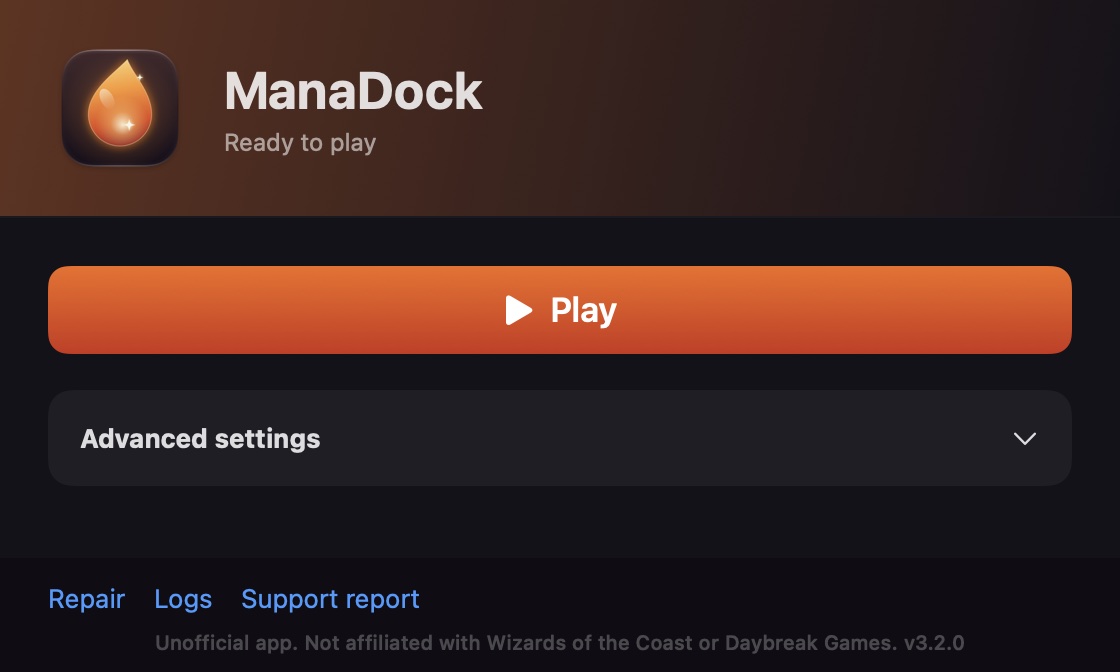
- Independent app, not affiliated with Wizards or Daybreak
- Native on Apple Silicon
- Leaves the game's files untouched by default
Playing in three steps
Download the app
Open the disk image and drag ManaDock to Applications.
Press Install
About a minute later everything is ready. You can watch the progress or minimize the window.
Press Play
The official client downloads and starts. Log in with your usual MTGO account, your collection is right there.
Everything that usually breaks, already fixed
We collected the problems Mac players keep running into with MTGO and solved each one inside the app.
Sound, just like on Windows
Sound works from the first launch and stays on after MTGO updates. Learn more
Set up in a minute
Press one button and we handle the rest. No need to deal with Wine, .NET or Terminal.
Updates install themselves
New MTGO version out? It downloads and installs on its own, and your sound and settings stay put.
Native on Apple Silicon
Runs directly on your Mac's chip, without Rosetta, so it is built to keep working after Apple retires it. Learn more
If the game freezes
We notice and restart MTGO for you. All you have to do is log back in. Learn more
Warns before the game slows down
If your Mac runs low on memory, we show which apps use the most so you can close them in one click. Learn more
Ready for long events
Your Mac won't fall asleep mid-match. And if MTGO has been running long enough to slow down, we'll suggest a restart.
Your usual shortcuts
⌘C and ⌘V copy and paste, and your MTGO hotkeys work too.
See it in action
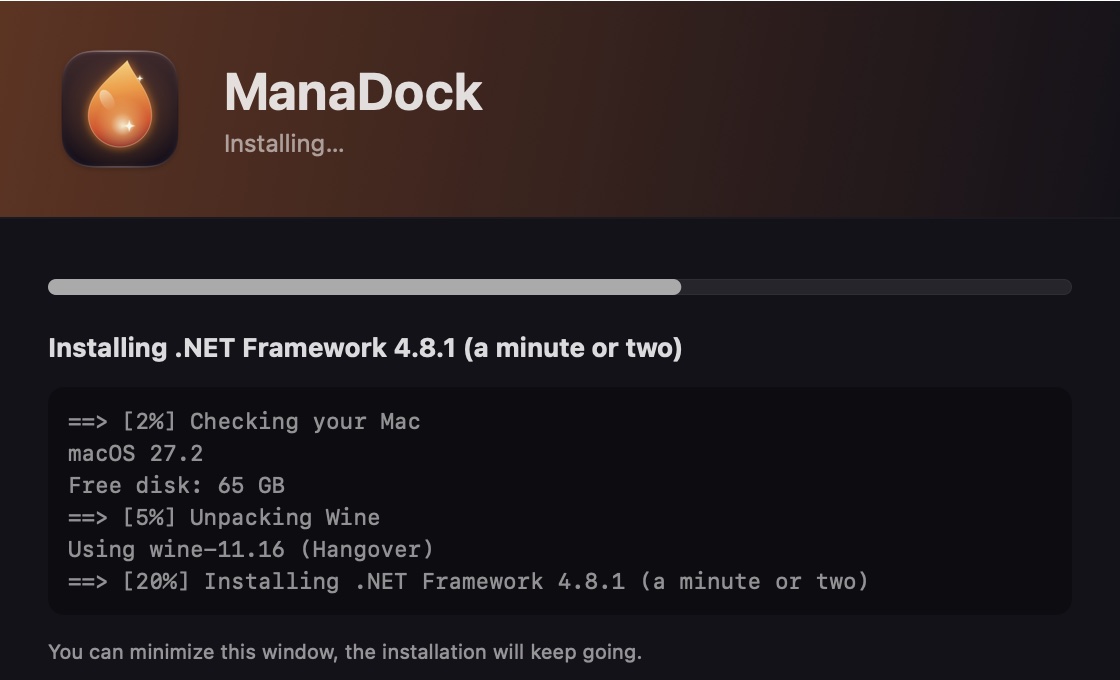
One click, about a minute
Press Install and watch the progress. Wine and Microsoft .NET are set up for you, with no Windows dialogs or questions along the way.
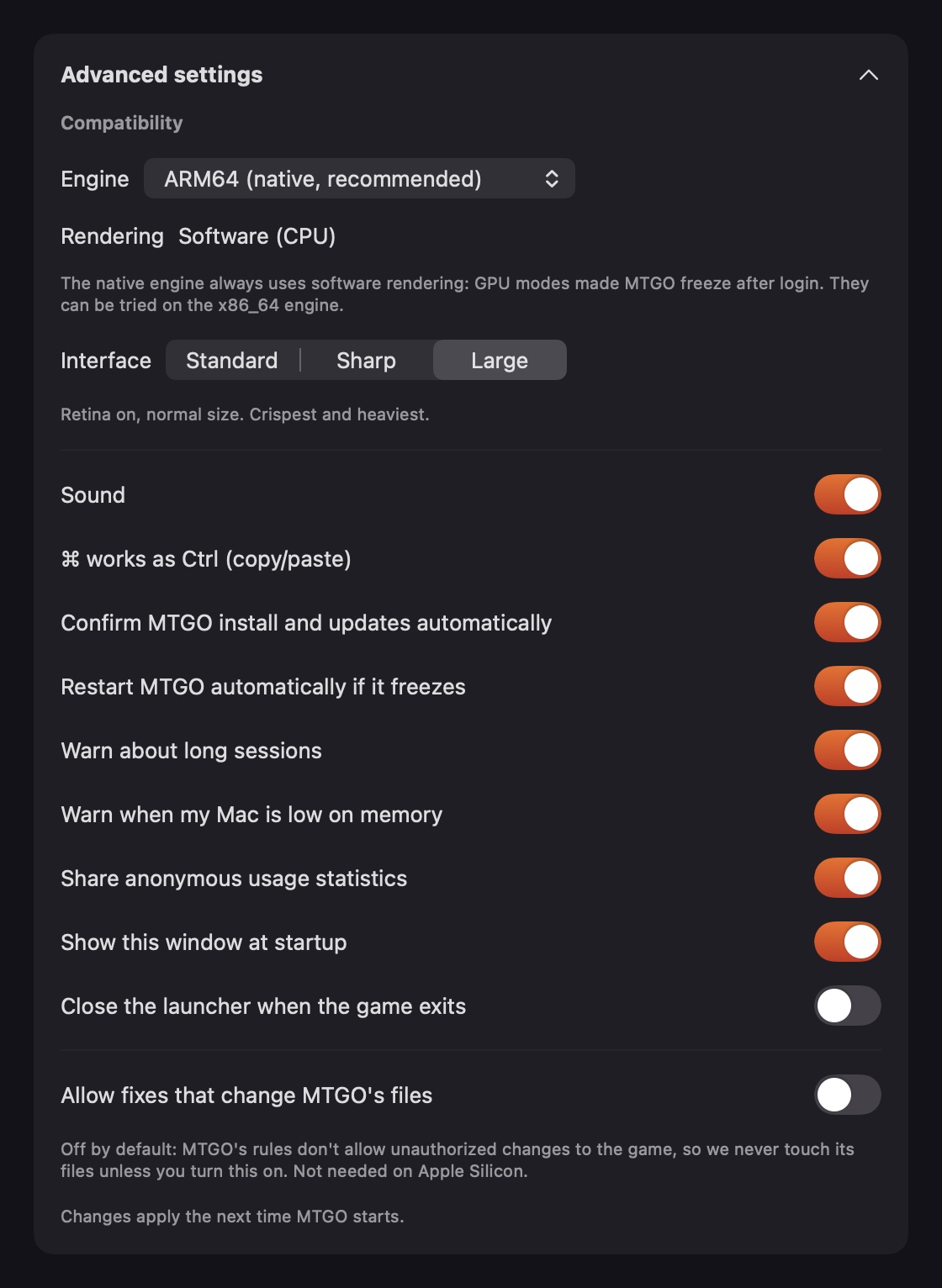
Settings for every Mac
Pick the interface size that suits your screen, switch engines on older Macs, and turn sound, automatic restarts and warnings on or off. Good defaults are already set, so most people never open this.
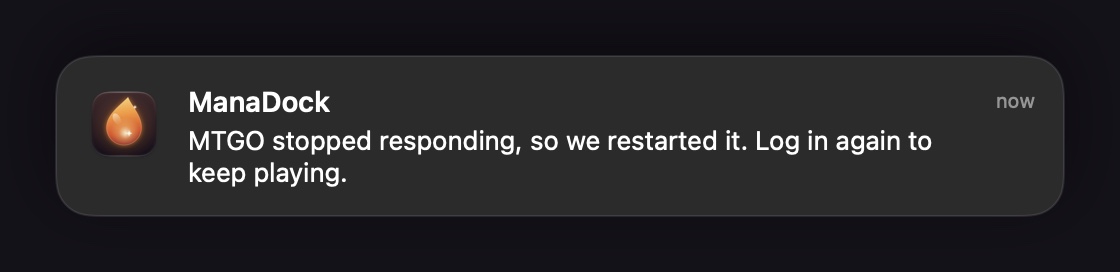
Back in the game after a freeze
If MTGO stops responding, ManaDock notices within half a minute, restarts it and lets you know. Log in again and carry on.
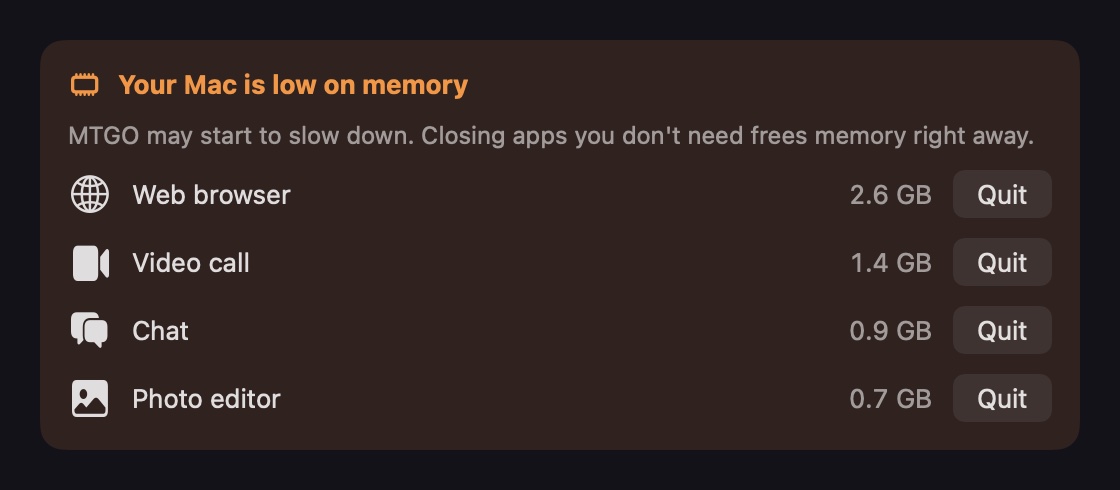
Warns before your Mac runs out of memory
When macOS starts to run short on memory, you see which apps use the most and can close them with one click, before the game starts to stutter.
Other ways to play MTGO on a Mac
Each option has its place. Here is roughly what they cost and what they involve.
ManaDock
- Sound, updates and hotkeys just work
- Native on Apple Silicon, no Rosetta
- Restarts MTGO if it freezes
- Warns when your Mac runs low on memory
- Leaves the game's files untouched by default
Parallels and Windows
- Windows takes a big share of your memory
- Boot Windows before every session
- Two systems to keep updated
Wine from online guides
- Often no sound in MTGO
- An MTGO update can break it
- You set it up and maintain it yourself
A separate Windows PC
- A second computer on your desk
- Doesn't come with you on a MacBook
- Windows updates and antivirus to look after
Prices checked in November 2026: Parallels Desktop Standard $99.99 a year, Windows 11 Home about $139, budget Windows laptops from about $400. Your local prices may differ.
Built to respect MTGO's rules
The MTGO license agreement forbids third-party programs that enable cheating, change the game interface or collect information from the game. ManaDock does none of these things.
- By default we never change MTGO's files: on Apple Silicon the game runs exactly as Daybreak ships it, downloaded from the official servers.
- No cheats, bots or overlays. Nothing reads or changes what happens in your matches.
- You log in to MTGO directly. We never see or store your password.
- All fixes live in our Mac layer, the same way any Windows program runs on a Mac.
On Intel Macs, sound needs a fix that changes one game file. It stays off unless you turn it on yourself.
Ready for macOS without Rosetta
Apple has announced that macOS 27 is the last version with full Rosetta support. Starting with macOS 28, apps made only for Intel will stop opening on Apple Silicon Macs, apart from a limited set of older games. Many ways of running MTGO on a Mac depend on Rosetta today.
ManaDock doesn't. On Apple Silicon it runs MTGO natively, so it is built to keep working after Rosetta is gone.
Guides for Mac players
Want to understand what goes wrong with MTGO on a Mac and why? Start here.
How to play MTGO on a Mac: every option compared
All the ways to run Magic: The Gathering Online on macOS, from virtual machines to Wine, and which one is easiest on Apple Silicon and Intel Macs.
Read the guideMTGO has no sound on Mac: why it happens and how to fix it
Silent MTGO under Wine or CrossOver is one of the most common problems on a Mac. Here is what causes it and how to get the sound back.
Read the guideDoes MTGO run on Apple Silicon Macs (M1, M2, M3, M4)?
MTGO is a Windows program, but it can run natively on Apple Silicon Macs. What works, what to avoid and how to get the best performance.
Read the guideMTGO freezes or lags on Mac: causes and fixes
Why MTGO stutters, hangs or slows down on macOS, and what you can do about it, from settings to automatic restarts.
Read the guideMTGO on Mac without Parallels: a lighter alternative
You don't need a Windows license or a virtual machine to play Magic Online on a Mac. Here is how to set it up step by step.
Read the guideMTGO with CrossOver, Whisky or Porting Kit: how they compare
CrossOver, Whisky and Porting Kit can all run Windows apps on a Mac. Here is what each costs, who maintains it, and how ManaDock differs for MTGO.
Read the guideQuestions
Is ManaDock free?
Yes, ManaDock is free to use: MTGO runs with sound and natively on Apple Silicon, and starts after a 10-second wait. Every extra (instant start, automatic restart after a freeze, install confirmations, memory warnings) is included for the first 10 hours of play or 14 days, whichever lasts longer. After that a plan is optional, from $19.99 a year.
Is this an official Wizards of the Coast product?
No. ManaDock is made by an independent developer. The game itself is the official MTGO client, downloaded straight from the official servers.
Do I need Windows?
No. You don't need to buy or install anything else.
Which Macs are supported?
Macs with Apple Silicon (M1 or newer) run MTGO natively. Intel Macs use a compatibility mode. You need macOS 13 Ventura or later and about 5 GB of free space, including the MTGO client.
What happens when Apple removes Rosetta?
Nothing changes for you. On Apple Silicon, ManaDock runs MTGO natively without Rosetta, so it is built to keep working on macOS 28 and later.
Can using ManaDock get my MTGO account banned?
We can't speak for Daybreak, but ManaDock doesn't change the game's files by default, doesn't read or alter anything in your matches and adds no cheats, bots or overlays, which are the things the MTGO license agreement forbids. You also log in to MTGO directly, so we never see your password.
Does the app collect any data?
Only anonymous usage statistics, such as whether the installation worked or how often a freeze was fixed, so we know what to improve. No name, e-mail or anything from the game, and IP addresses are not stored. You can turn it off on the install screen or in Advanced settings.
What happens when MTGO updates?
The update installs on its own and the app puts its fixes back in place. You just press Play.
What if something stops working?
Press Repair in the app first. If that doesn't help, the Support report button collects everything we need to look into it.

Your next draft is a minute away
Download the app and play free for 10 hours of play or 14 days, whichever lasts longer.
Download free